- Published on
Building My Own Homelab: From AI Dependency to Local Superpower
- Authors

- Name
- Sero
- @0xSero
The awakening
August 2022. I tried DALL-E for the first time and instantly felt both endlessly excited and terrified.
"Callback to August 2022 when I immediately knew we would end up here after seeing a picture made by the beta of dalle" — @seroxdesigns
I thought it was cool but not particularly practical. That changed fast.
Within months, LLMs became my go to tool for handling many of the day to day challenges we all have to live with:
- Budgeting analysis
- Code generation
- Health tracking
- Language learning
- Legal advice
I launched AI-powered side projects. Consulted for companies building AI products. Then I discovered ElizaOS in late 2024.
"ElizaOS was a huge double edged sword, on 1 hand they did agentic better than any other framework at the time. When Eliza was running X accounts there was no MCP, cursor was still young, and there were no Open Source frameworks for curious people to work with." — @seroxdesigns
Why Machines Learn
December 2023. I read Why Machines Learn by Anil Ananthaswamy.
I expected a dry theoretical textbook. What I got felt tailored made for me. Just technical enough to give me a deep level of understanding without being too complex.
"It's honestly incredible what we can do with some math. If you're into AI I highly recommend 'why machines learn' - @anilananth" — @seroxdesigns
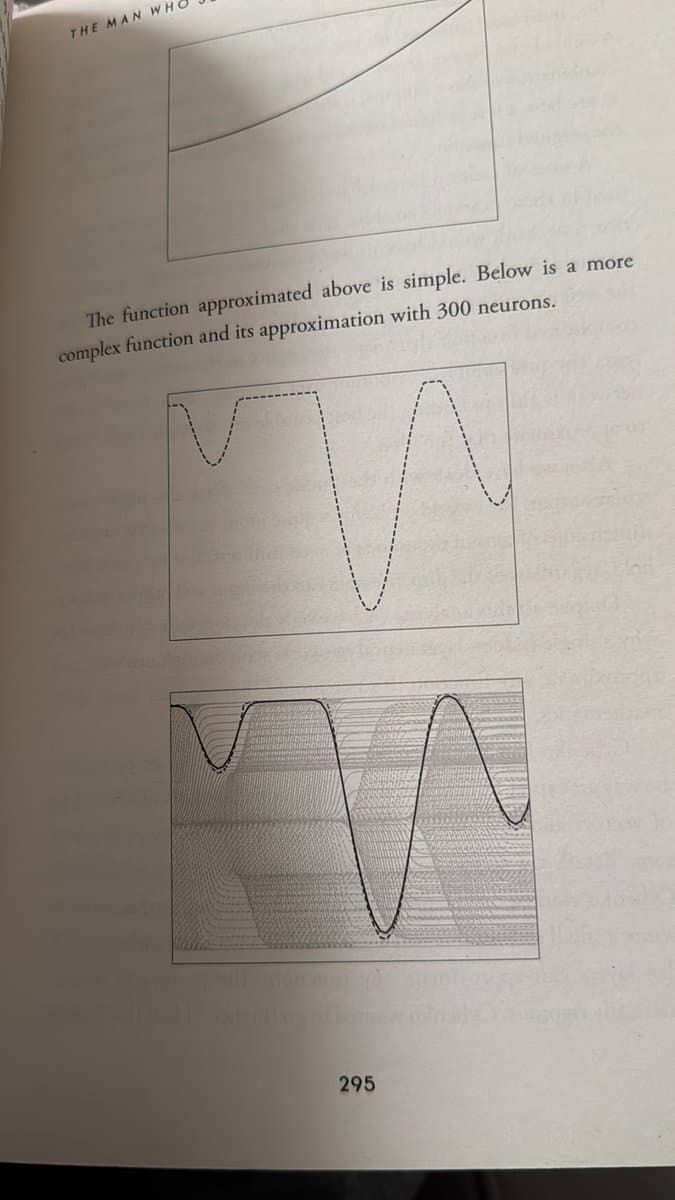
Slowly but surely I understood:
- Backpropagation how models learn from mistakes
- Gradient descent the path to optimal solutions
- Vector mathematics the language of AI
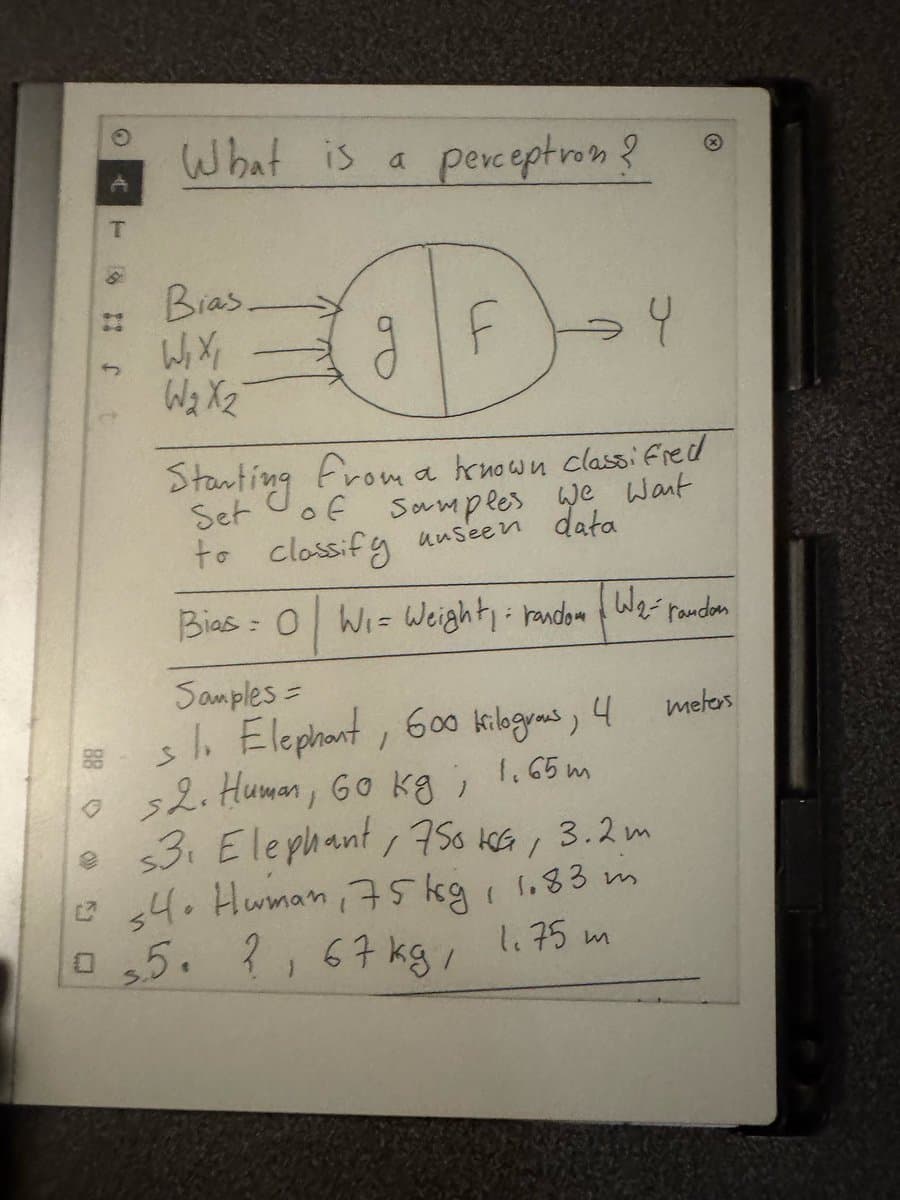
I learned about perceptrons, activation functions, loss surfaces. My software development background meant I could map these concepts to code I had already written. I even coded a few by hand.
"Meet big daddy perceptron. One of the first iterations of machine learning. The basic perceptron as a concept takes in 3 parameters, and outputs a single value" — @seroxdesigns
I started running small models locally on my MacBook. Curious to see how they would handle basic tasks. This only got more interesting after GPT-OSS models were released.
The Breakpoint
In June of 2025, it hit me hard. I was hopelessly dependent on corporations.
"This age is coming to a close, models are using 6x the tokens, we have hit the token price floor with most of our favorite models, and frontier companies are realizing they can't do infinite usage plans anymore. What this means for us is 30-100$ a day in usage if you use this" — @seroxdesigns
This anxiety stirred in me after Cursor had switched its pricing model, and Claude Code was beginning to follow suit.
- I could not access my own data
- I could not inspect the models I was using
- I could not customize behavior
- I was limited by API policies, usage caps, pricing tiers
I was spending thousands monthly on AI subscriptions.
Looking back at my detailed usage analysis from October 2025:
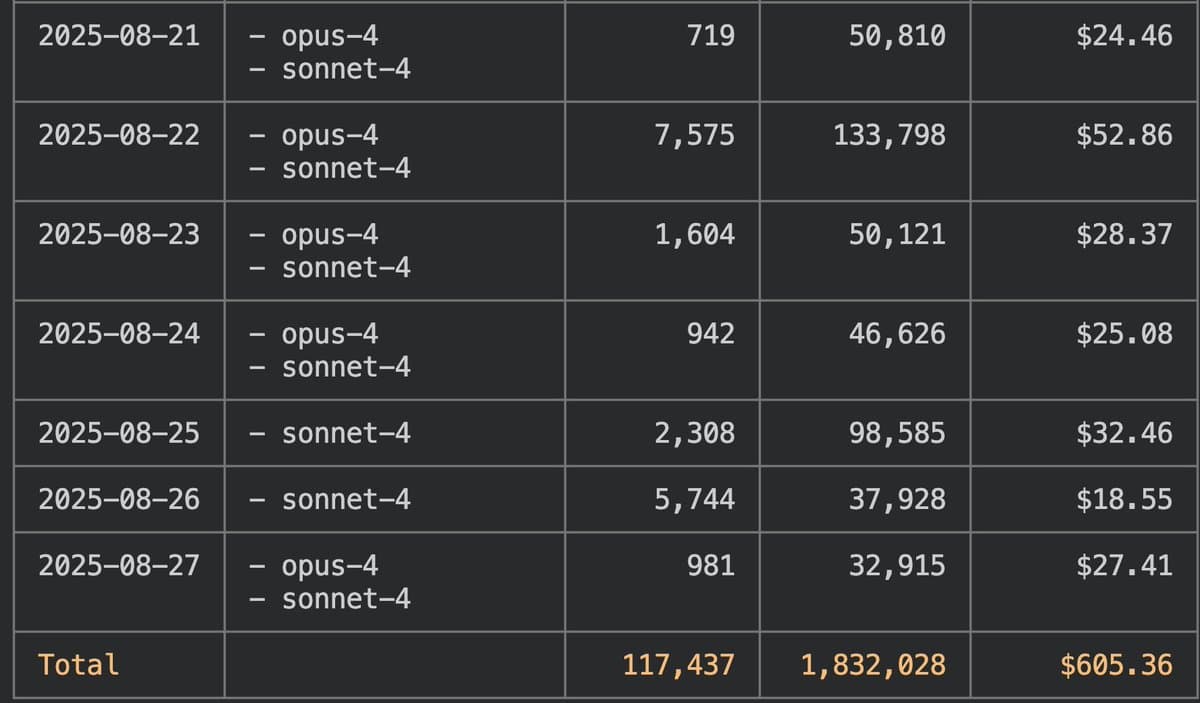
"I dug deep into my usage patterns over the last year with AI subscriptions" — @seroxdesigns
"Token and Cost efficiency for my 4x 3090 Rig. I have systematically analyzed the cost of my AI usage since companies Cursor switched to token based pricing." — @seroxdesigns
| Platform | Inference Value | Cost | Value Ratio |
|---|---|---|---|
| Cursor Pro | $2,400 | $542 | 4.4x |
| Claude API | $3,750 | $720 | 5.2x |
| Other Tools | ~$4,000 | $750 | 5.3x |
| Total Monthly | ~$10,000 | $2,012 | 5.0x |
"Claude is the highest value AI subscription for software developers. Insane how fast it can template stuff." — @seroxdesigns
I was spending about 5000 p/m in token usage. This was unsustainable and it was starting to show.
More importantly: zero ownership.
The minute Cursor raised prices 30%? There was nothing I could do but continue to shell out money, otherwise my capacity of output decreases.
Making the Decision
The solution was obvious: invest in my own hardware.
I started small. Running models on my MacBook using llama.cpp. Building MCPs for them, experimenting with different quantization levels and configurations.
Here is what I discovered:
We are at a point where intelligence can fit on 36GB of RAM.
- Llama-3-70B quantized to Q4 runs decently
- Mistral-7x22B fits in similar memory with aggressive quantization
"I have a MacBook and love macOS and generally dislike Linux/windows. But the metrics don't lie, Linux server with 3090s is the best bang for buck out there. Mac ultras are able to run huge models but not at any usable speeds" — @seroxdesigns
My Journey
August 26, 2025
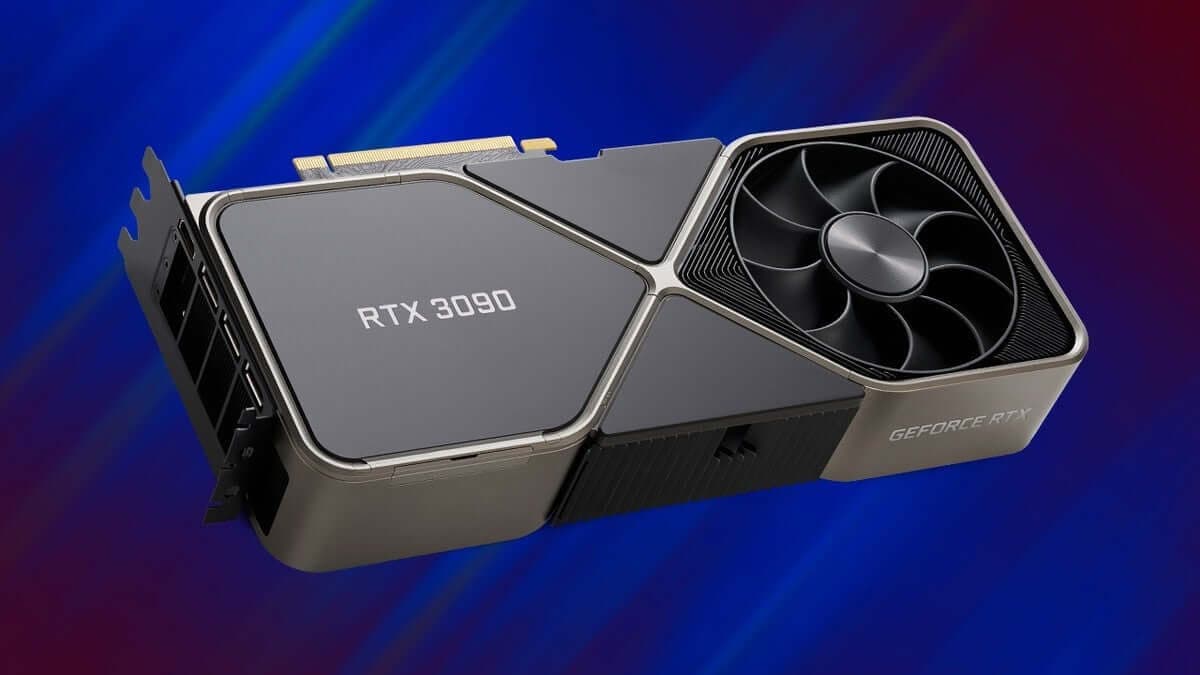
"Just picked up 4x 3090s and an AMD epyc. Building out a beast at home, let's see how this goes. Fully off Claude in 3 months." — @seroxdesigns
August 30, 2025
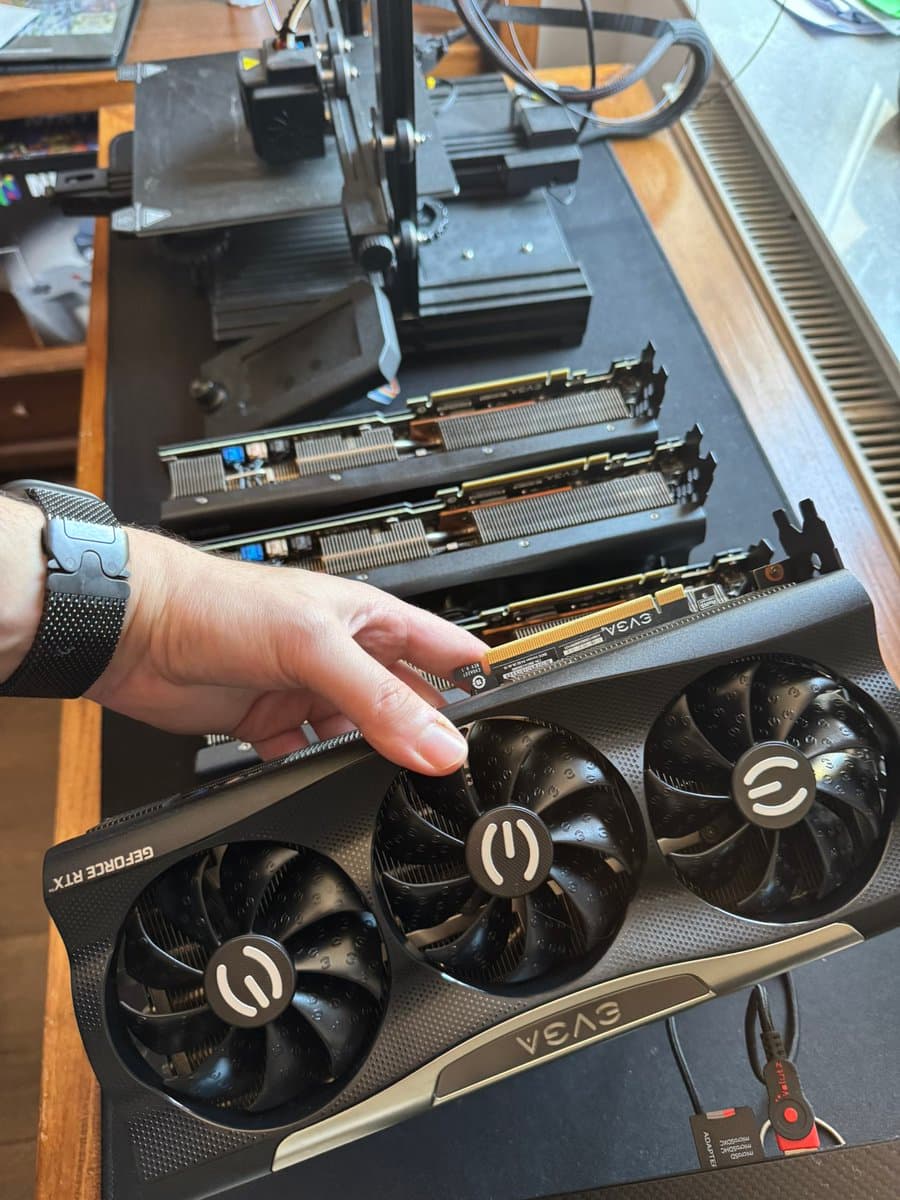
"Building an AI rig at home - 96 VRAM (4x 3090s) - 512 GB DDR4 - 6 TB NVMe - Epyc 7443p - Corsair AX1600i - Thermal Core p90 open tower. I should be able to run: GPT-OSS-120B, Qwen 3 coder, GLM 4.5 Air, Smaller image models, Control my 3d printer, Build my own recommendation Algo" — @seroxdesigns
August 31, 2025
"I'm realizing this is going to be a bit more difficult than expected, of course. These gosh darn GPUs draw up to 450w each at spikes. So I need 2 run 2 PSUs, and connect them together via an adapter, which means I need to separate the GPUs." — @seroxdesigns

September 6, 2025
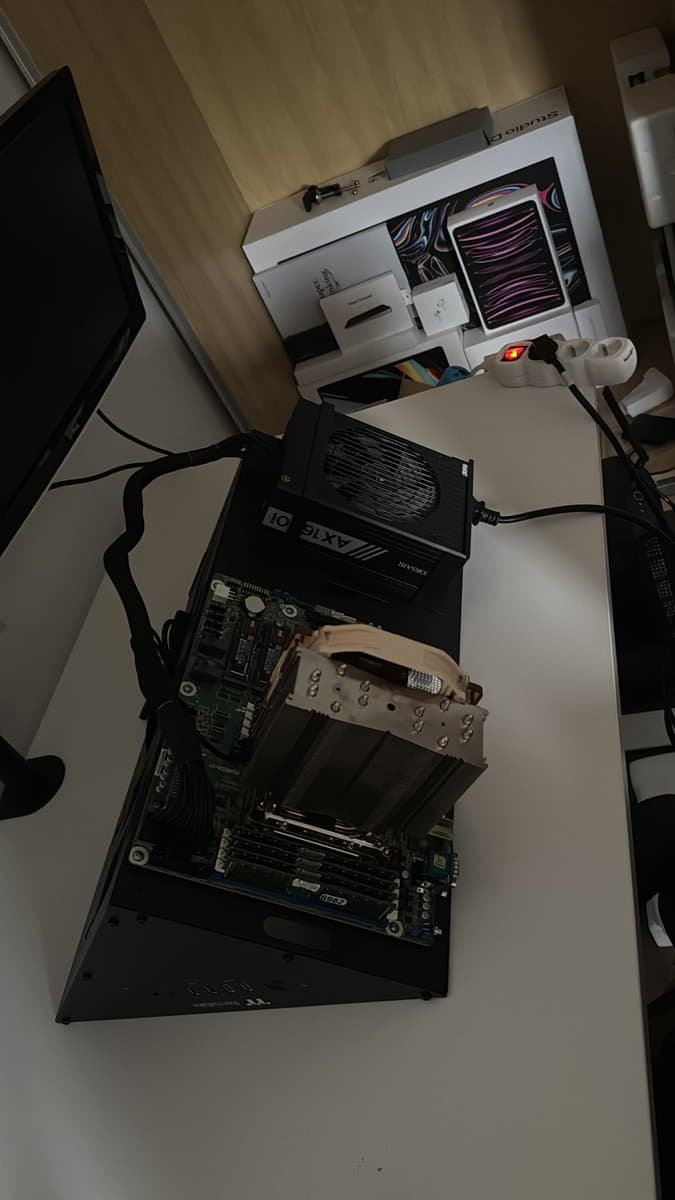
"Now how the hell do I fit 4 3090s near this thing. I've never seen bigger GPUs" — @seroxdesigns
September 16, 2025 — The Disaster
This is where everything went wrong.
"Crashing out > Gets 4 GPUs mailed out > Gets CPU / RAM / MB > Huge PSU > Sets everything up perfectly over 20 hours > 1 GPU busted > mail it back, get replacement > BUSTED > fix it > PCIe riser cable BUSTED > PSU pcie cables only split > GPUs too fat for split cables" — @seroxdesigns
I spent 20+ hours setting everything up. Case planned carefully. Airflow optimized. All connections verified. First run: success.
Then: crash.
After 22 hours, I discovered the problem. One GPU had overheated and failed. Shipped it back for replacement. Replacement arrived, installed it, and it failed immediately. Another day troubleshooting revealed a second bad GPU.
And that was just the beginning.
The Cascade of Problems:
- Dead GPUs 2 defective units, multiple shipping cycles
- Broken PCIe riser The cable connecting motherboard to GPU 2 had snapped
- Power supply nightmare My 1,200W PSU had enough wattage but could not deliver enough PCIe power simultaneously. I needed 24 PCIe power lines (8 GPUs x 3 connectors). My PSU only had 8 cables with capacity for maybe 10.
- Upgrade required Had to upgrade to dual 1,600W Corsair units, bridged with specialized cable
- Power distribution hell Spent hours with a multimeter verifying each cable's source because PSU rear panel naming was confusing
- Physical fit issues GPUs kept hitting each other and motherboard slots. Needed premium braided riser cables from a mining-specific supplier
- PCIe lane math EPYC CPU has 128 lanes but they are shared. Had to calculate exactly which GPUs get x16 vs x8 bandwidth
"PCIe riser cables gen 4.0, between 20-40cm in length. The goal is to minimize the length of the cables to prevent latency issues, you also should pick risers with flexible cables" — @seroxdesigns
Lesson learned: Building an 8-GPU rig is not plug-and-play.
September 17, 2025
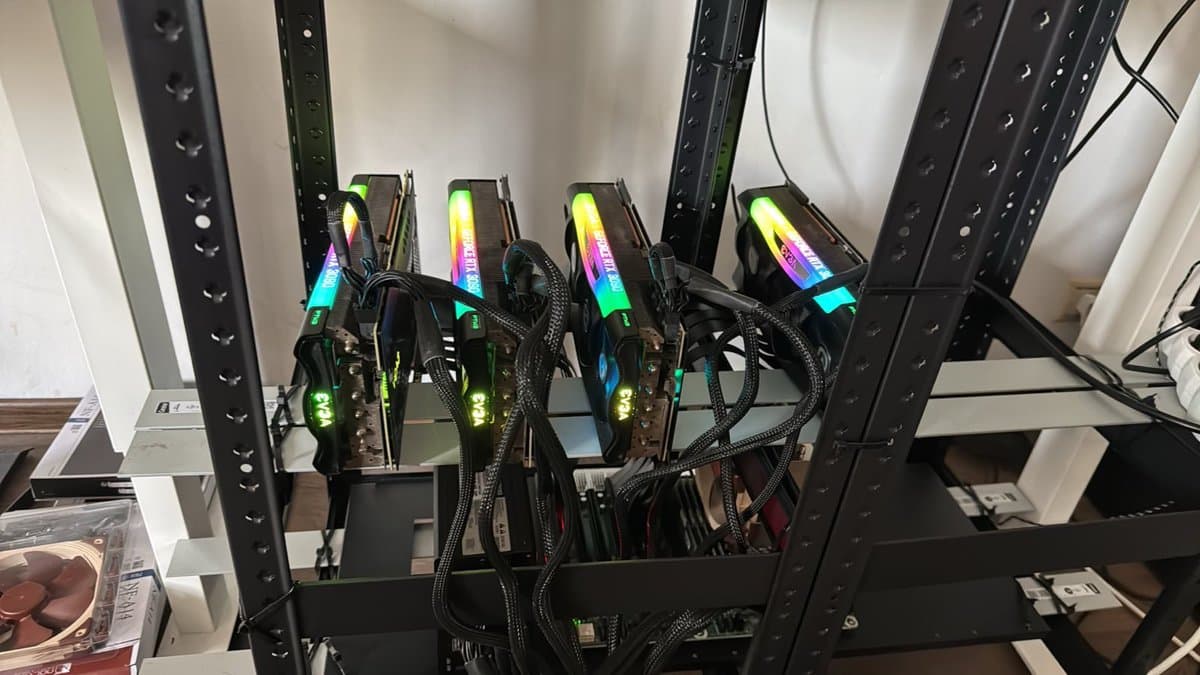
"It's a glorious day all 4 GPUs are live. This was one of the most fun projects I have ever done." — @seroxdesigns
September 20, 2025
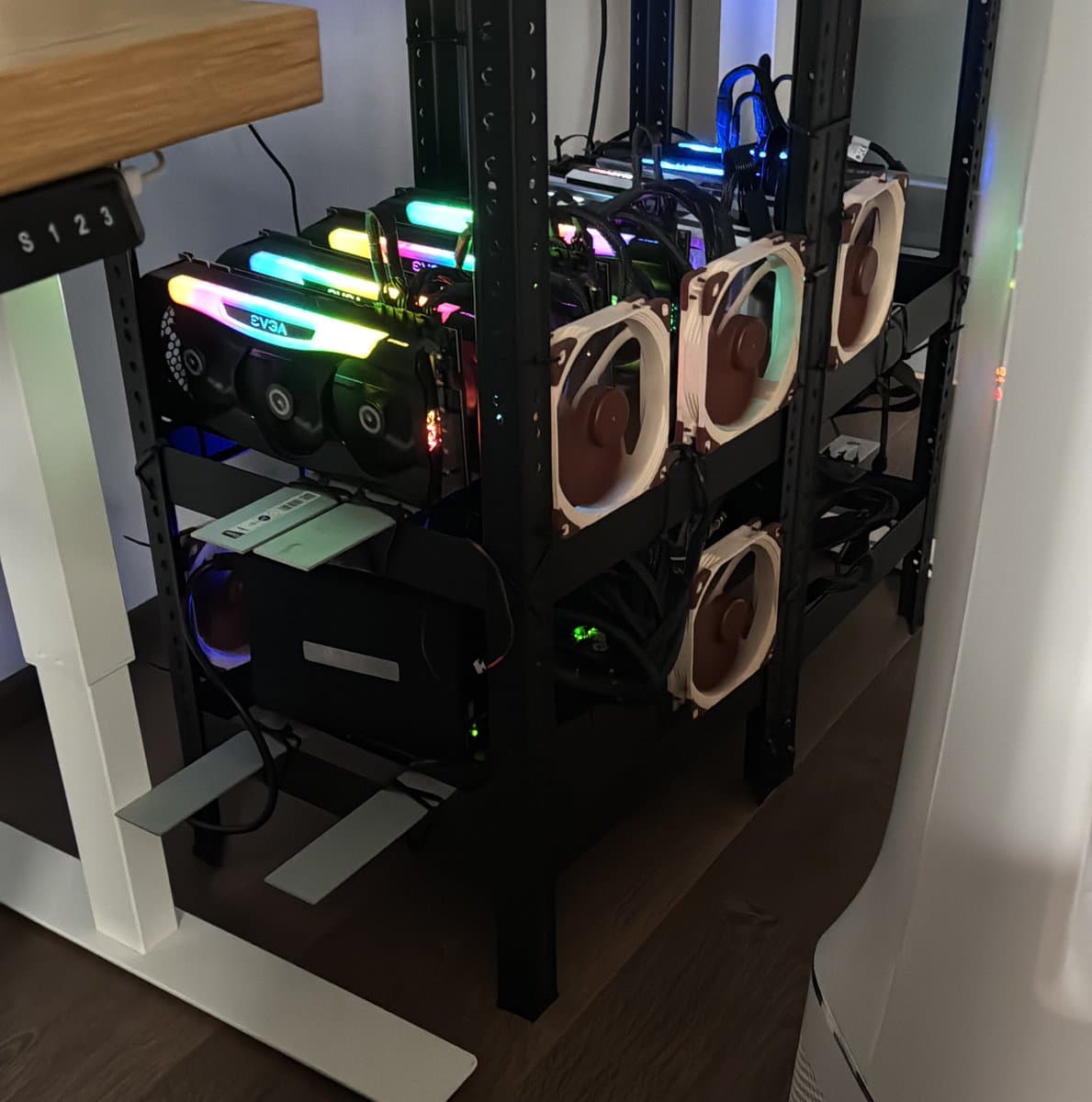
"There was nothing I could buy that fit the gpus, fans, etc.. I had ziptie this from scratch. Cost 100$ for the parts" — @seroxdesigns
September 26, 2025
"I have a MacBook and love macOS and generally dislike Linux/windows. But the metrics don't lie, Linux server with 3090s is the best bang for buck out there. Mac ultras are able to run huge models but not at any usable speeds" — @seroxdesigns
September 28, 2025
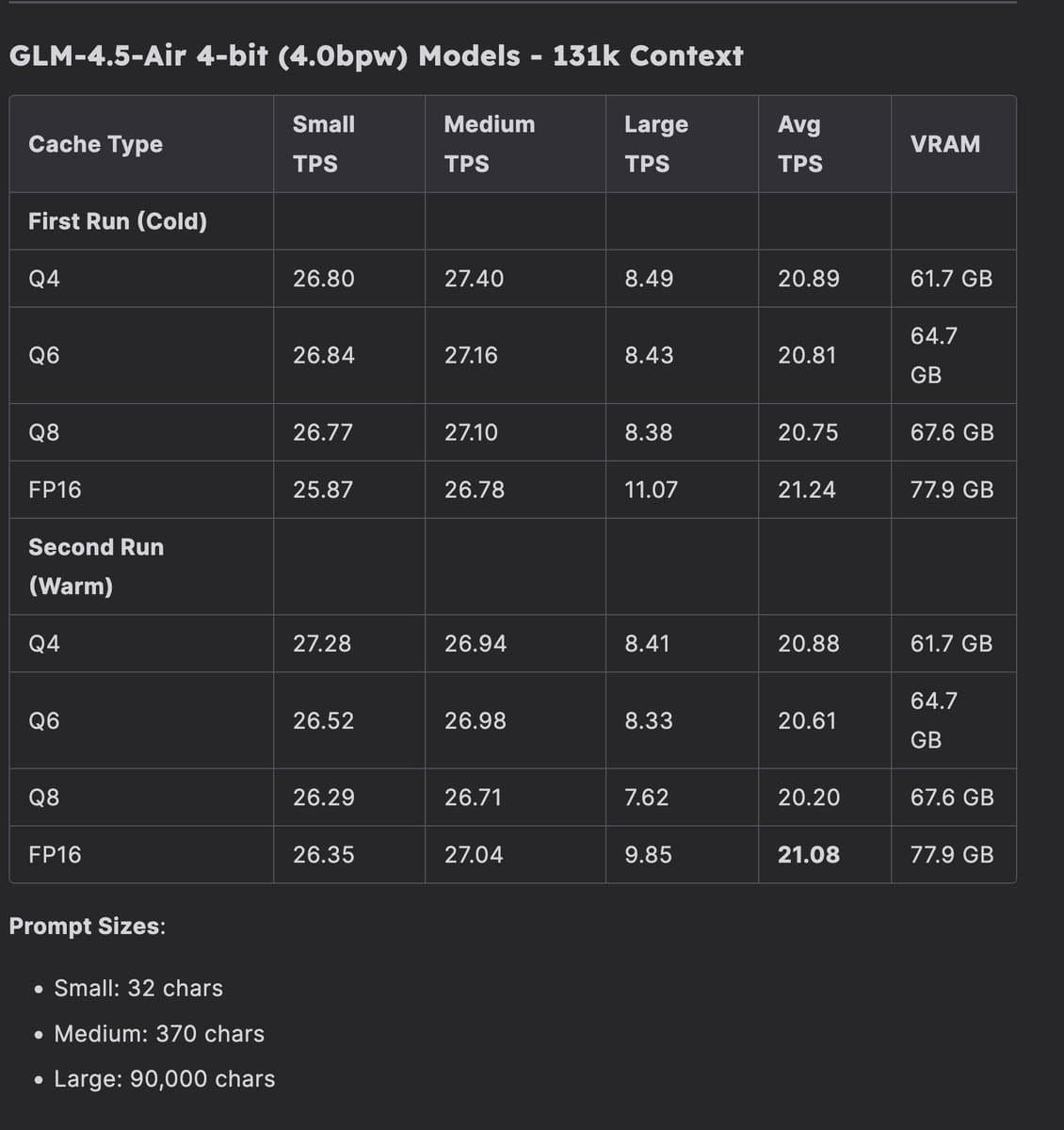
"GLM-4.5-Air at full context. I ran benchmarks to see the tokens per second generated at various context lengths, what's incredible is it is faster than Claude Opus 3, and ranks way way way higher on every metric. Just 18 months ago that was the golden standard, and now I can run it at home" — @seroxdesigns
October 3, 2025
"Yes, I am running a quad 3090 rig. My highest tps is 4k prefill/s and 55 tps which falls to 15 tps by end, write speed with air in llama cpp. But the best is with vLLM it stays consistently at 35tps" — @seroxdesigns
Testing GLM-4.5-Air-AWQ-4bit with vLLM:
| Configuration | Prefill TPS | Generation TPS | Notes |
|---|---|---|---|
| Basic (4x GPU TP) | ~2,500 | 12-25 | Default settings, no optimization |
| Optimized (vLLM) | ~3,000 | 35 | KV cache tuning, PCIe alignment |
| llama.cpp | ~1,000 | 10 | Degrades with context |
October 23, 2025
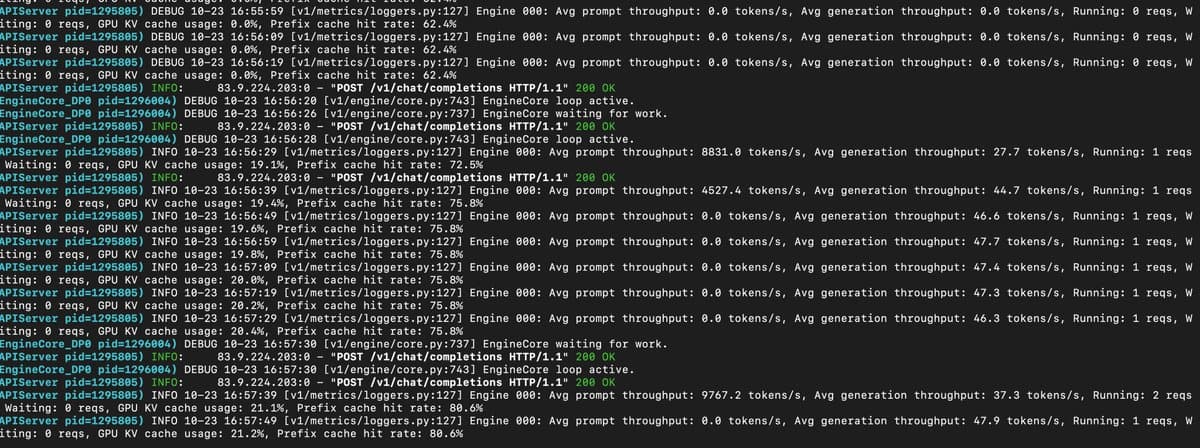
"9k tps throughput, 50~ output 25% in. Wild what 6 3090s can do." — @seroxdesigns
November 7, 2025
"I am quite concerned to say this, I need 2 more gpus." — @seroxdesigns
November 14, 2025
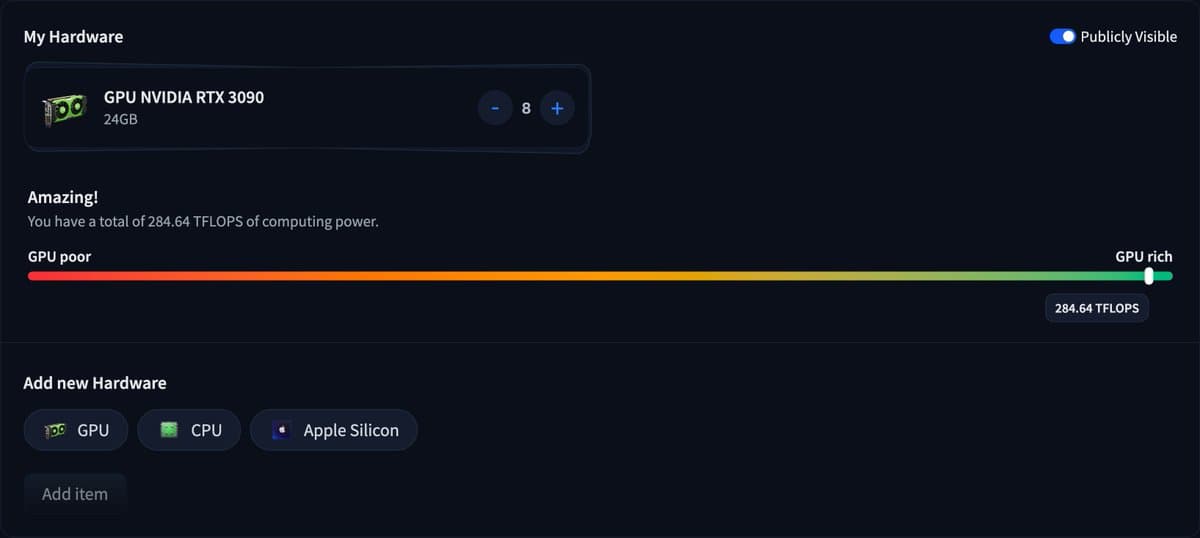
"The prophecy has been fulfilled. - 8x 3090s 192gb VRAM - 512GB DDR4 - 6 TB NVMe. I am in computer heaven" — @seroxdesigns
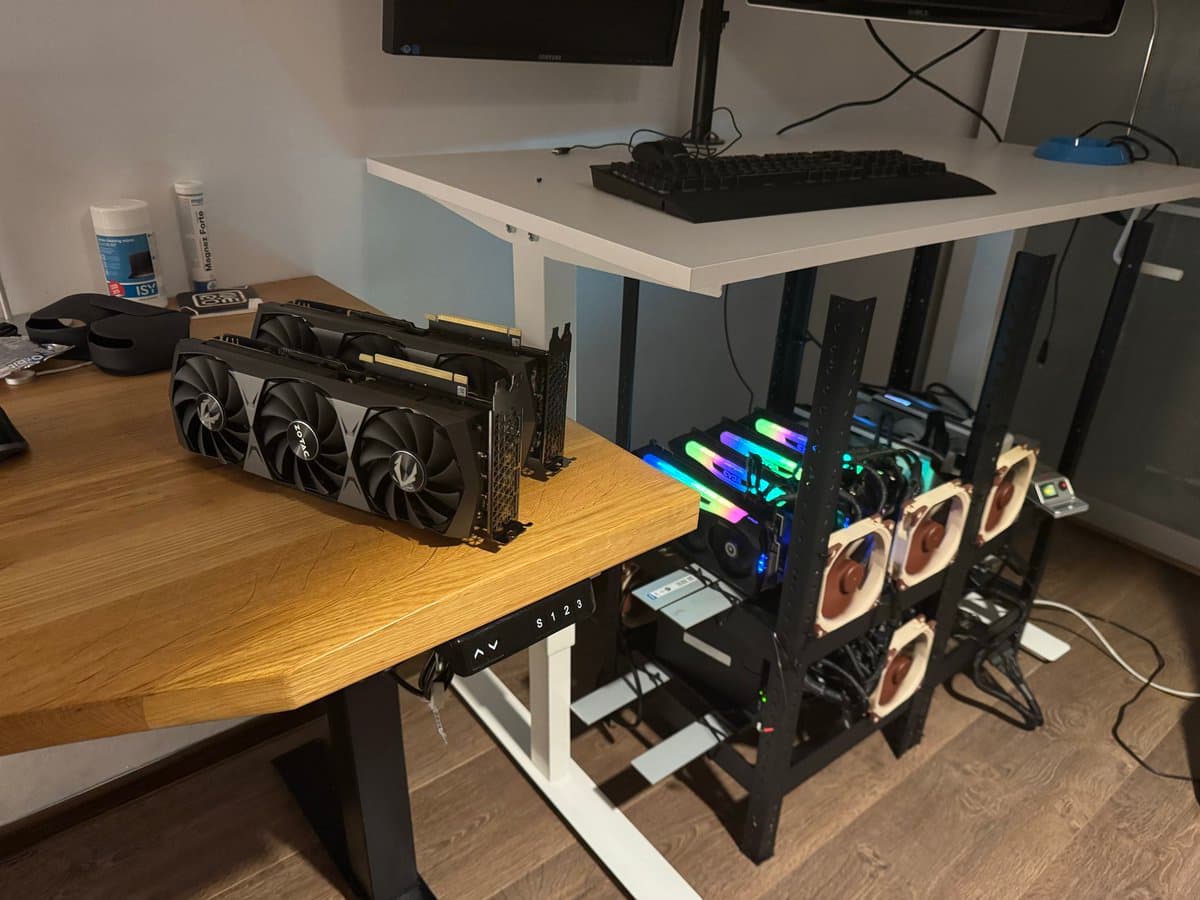
"Cap the GPU wattage at 200w, I have 2 PSUs and a P2P adapter, the whole thing is 1.5k watts max, usually around half" — @seroxdesigns
November 16, 2025
"GPU Rich" — @seroxdesigns
Hardware Specifications
"3 months ago I built this beast, let's check the costs today." — @seroxdesigns
| Component | Specification | Cost |
|---|---|---|
| GPUs | 8x RTX 3090 (24GB each = 192GB VRAM) | $7,118.64 |
| Memory | 512GB DDR4 ECC | $2,224.61 |
| Motherboard | ASRock Romed8-2T | $902.63 |
| CPU | EPYC 7443P | $739.01 |
| Storage | 2TB + 4TB Samsung NVMe | $552.54 |
| Power | 2x 1,600W Corsair + 1,000W Corsair | $723.00 |
| Case | Custom zip-tied rack | ~$100 |
| Total | ~$12,360 |
Minimum viable setup: 2x 3090s with 64GB RAM = $3,000 USD
Performance Metrics
| Metric | Value | Configuration |
|---|---|---|
| Prefill Throughput | 3,000-9,000 TPS | 4-8x 3090 + vLLM |
| Generation Throughput | 35-50 TPS | 4x 3090 + vLLM optimized |
| Context Window | 180k tokens | 6x 3090 (174GB VRAM) |
| Peak VRAM Usage | 192GB | 8x 3090 full load |
"196k 4-6H bpw 8Q kvcache 700 tokens per second processing and 18 tokens per second generation. 180k 3.22bpw fp 16 kV 700 tps processing 30 tps generation" — @seroxdesigns
The Models I Trust
"MiniMax and GLM are it. I have a slight preference towards MiniMax right now (:" — @seroxdesigns
"#1 Minimax m2 #2 GLM 4.5 Air / GLM 4.6 reap #3 Hermes 70B #4 GPT-OSS-120B" — @seroxdesigns
| Tier | Model | Use Case | Quantization |
|---|---|---|---|
| S Tier | GLM-4.5-Air | Daily driver, vision tasks | AWQ-4bit |
| GLM-4.5V | Screenshot analysis, UI understanding | AWQ-4bit | |
| MiniMax-M2.1 | Agentic workflows, complex reasoning | AWQ-4bit | |
| A Tier | Hermes-70B | Unrestricted queries | Q5_K_M |
| Qwen-72B | General purpose | Q5_K_M | |
| GPT-OSS-120B | STEM work | Q4_K_M |
"Way better, GLM-4.6 does better working on a single narrow task. Minimax is way better at doing things until they're done, it's smarter, doesn't get stuck in loops, and tool calls almost never fail." — @seroxdesigns
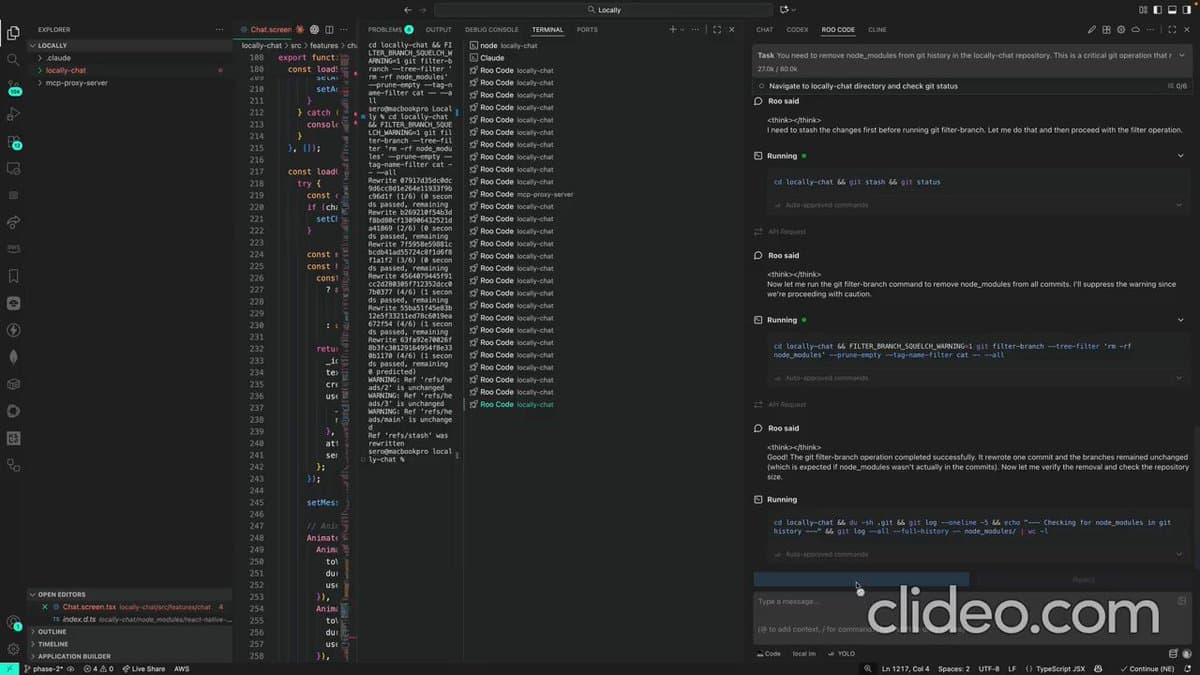
Cerebras REAP
"I spent the last few days running Cerebras' REAP models. I ran GLM-4.5-Air-Reap-82b - 12A bpw-8bit at full context: Prompt Processing - Peak: 1,012 T/s - Average: 920-980 T/s - Range: 754-1,012 T/s. Generation Speed: 43-44 T/s (consistent across context window)" — @seroxdesigns
Software Stack
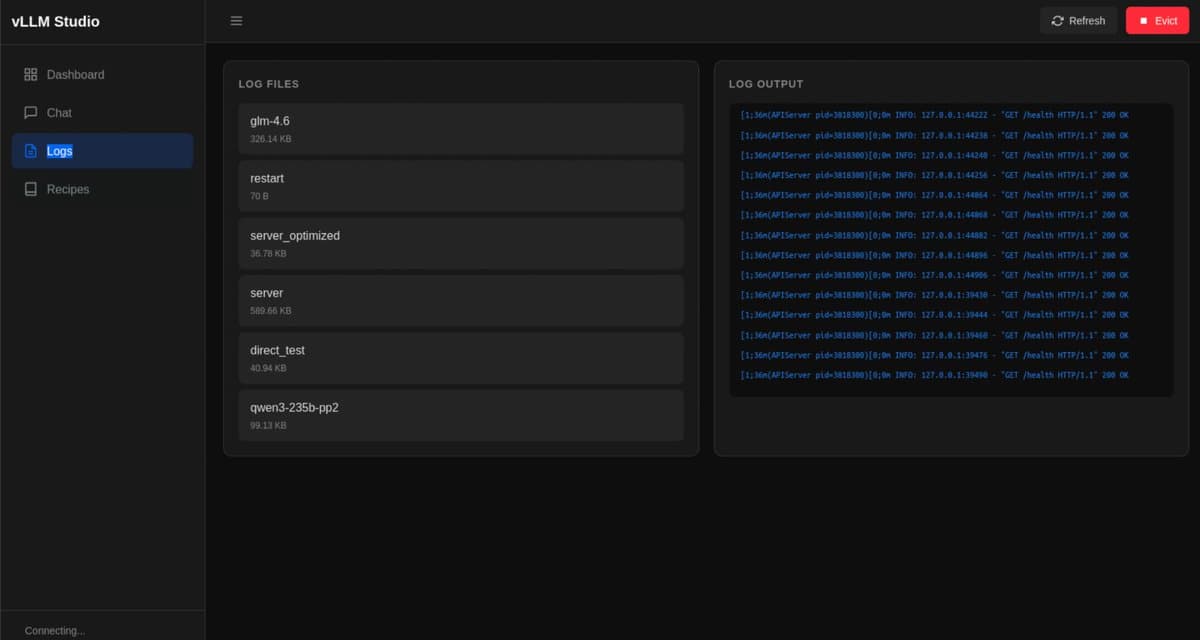
"I built lmstudio for vLLM and sglang. I can't begin to explain how much of a pain in the ass it is not having a simple system to store, share, and build recipes with vLLM and sglang. Now I can request a model by hitting the oai api and if it's not loaded into memory it'll evict whatever is running and load the requested model" — @seroxdesigns
vllm serve /mnt/llm_model/GLM-4.5-Air-AWQ-4bit \
  --tensor-parallel-size 4 \
  --dtype bfloat16 \
  --max-model-len 131072 \
  --gpu-memory-utilization 0.95 \
  --enable-chunked-prefill
Key optimizations:
- Contiguous KV cache reduces memory overhead
- Appropriate block size matched to specific model
- GPU memory tuning based on available VRAM
- Chunked prefill for better batching of large contexts
"MiniMax-M2.1 running at 100 tps servicing 2 clients, 200tps?" — @seroxdesigns
Why I Switched
| Factor | Corporate AI | Homelab |
|---|---|---|
| Cost per month | $2,000+ | $50 (electricity) |
| Rate limits | Constant concern | None |
| Data privacy | Sent to servers | Never leaves home |
| Model customization | Locked | Full control |
| API stability | Changes constantly | Fixed forever |
| Context window | 200k (expensive) | 500k+ (free) |
"1 week of my local llms working 24/7 nearly fully autonomously (Needs help every 8 hours or so.) 10% of this is output. 9.6M output tokens with claude sonnet = ~150. This would have cost me 400$ on api prices." — @seroxdesigns

Practical Use Case: Private Home RAG
This is my most valuable use case by far.
"Here's my list of usecases so far: 1. Private home rag, all my finances, legal documents, pics, writing, messages, emails are in a rag with private llms 2. Scrapers, I have scraped a few gigabytes of research paper, books, code, etc.. 3. Free claude code and codex" — @seroxdesigns
"I'm going to make a list of mini-blogs, X threads and repos that make it possible to run a local AI browser extension, home-rag, and mem-layer with just 24GB VRAM" — @seroxdesigns
What it indexes:
- Financial records from multiple banks
- Legal documents
- Scanned contracts
- Photos of physical documents
- My writing
- Personal messages
- Important emails
I can ask natural language questions about years of data and get comprehensive answers with source citations. This would be impossible with traditional search without weeks of manual processing.
Technical stack:
- Database: PostgreSQL with pgvector
- Embedding: BGE-M3 (dense + sparse + multi-vector)
- Index: HNSW for fast retrieval
- Storage: 1.2TB indexed documents
Mobile App for Local LLMs
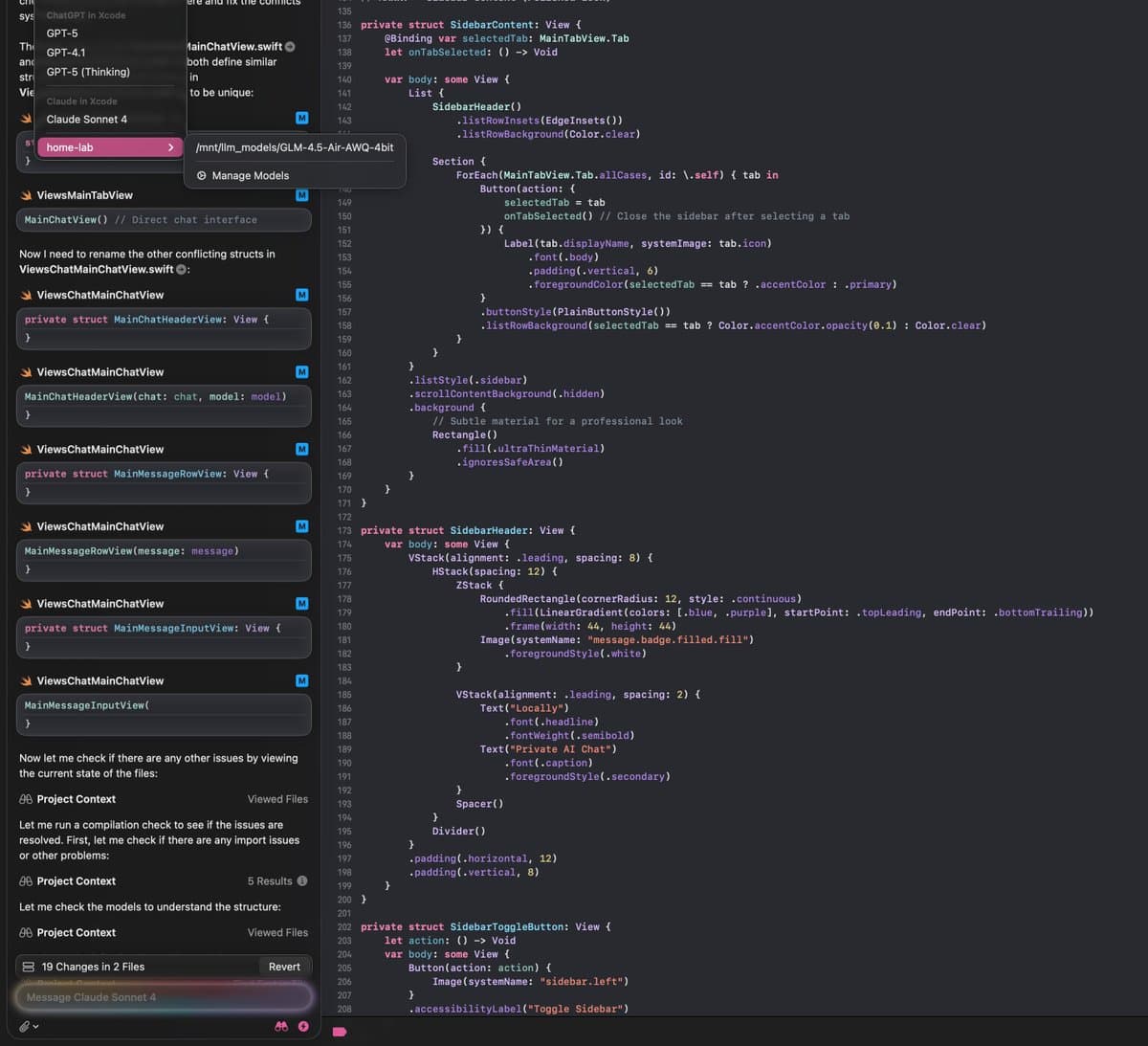
"Did you know you can run local models in xcode? I am building a mobile app for my local llms with MCP access & full private data, it's going pretty well." — @seroxdesigns
What I Do With AI Now
"I do my: dev work, research, financial budgeting, private recommendation algo, workout tracking, medical advice, government paperwork, home research, memory management. All using AI/MCP. I have never been more impactful than I am today, because of AI" — @seroxdesigns
Key Takeaways
Research saves money and frustration 2 months of research prevented me from buying MagSafe-only setup or underpowered machine
Standard cases do not work with large GPUs Use custom rack or crypto-mining server chassis
Power is your limiting factor 1,200W is practical ceiling. Measure everything before buying
Speed matters llama.cpp initial speed might feel good but context degradation destroys quality
vLLM is the path Complex setup vs blazing fast performance. Worth every hour
Your data stays yours This is freedom. Not perfect, but yours
Do not settle for corporate AI If you use AI daily, build your own infrastructure. It pays off quickly
"I am telling you, MiniMax-M2.1 and GLM-4.7 are top tier, and MiniMax specifically is soooo fast, frontier model running at home. Never thought this could be possible." — @seroxdesigns
This post was compiled from tweets and research spanning August-December 2025. Follow me on X for updates.